PDF View (BETA), Component Management, Enhanced Translation, and Improved Print Controls
We are thrilled to introduce a substantial update to Brite, complete with exciting new features and refinements to boost your experience.
PDF View (BETA)
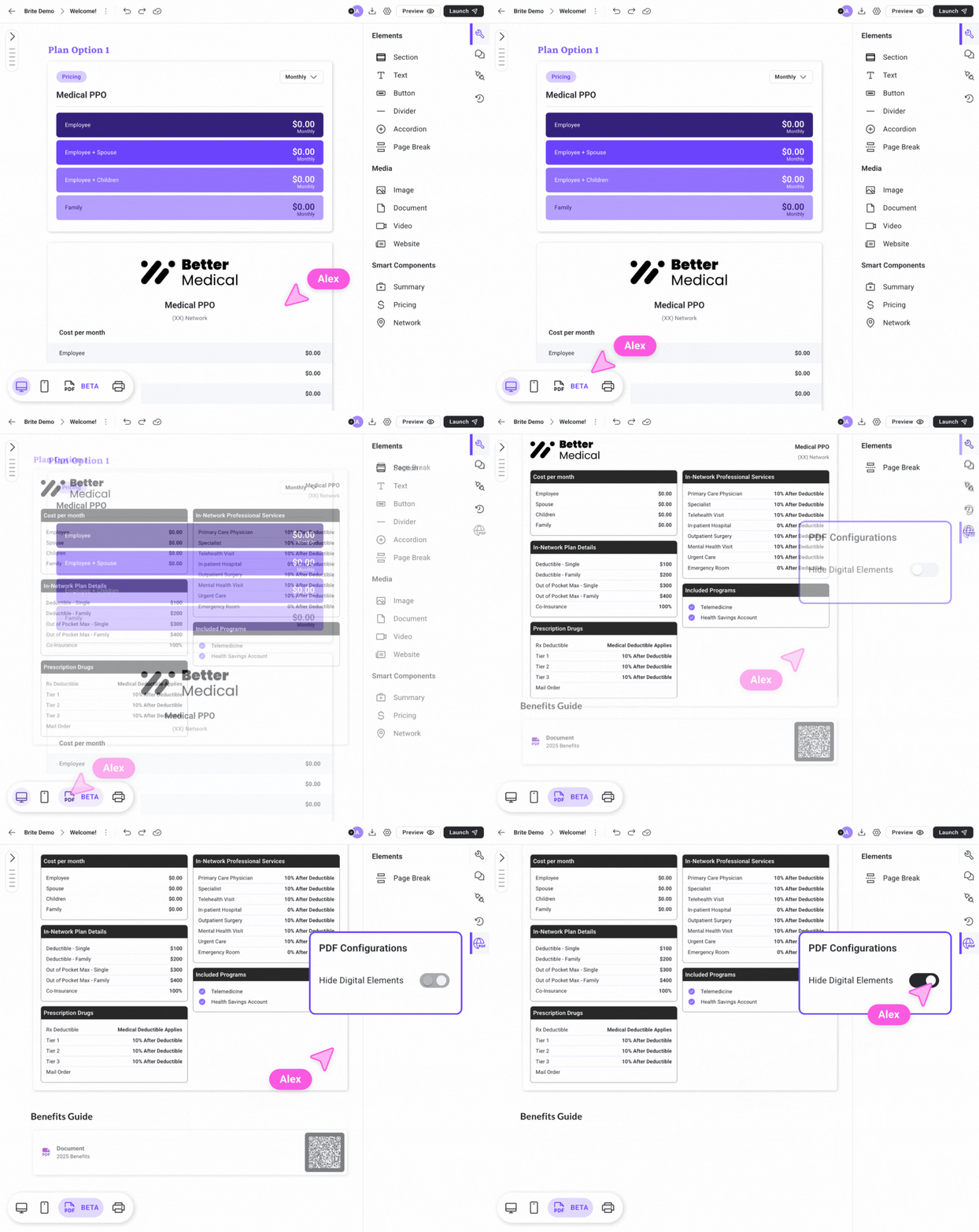
View and edit your guide in the new PDF view accessible from the bottom-left navigation bar.
Preview auto-detected page breaks, with options to add manual breaks as desired.
See what the components in your guide will look like when exported to PDF and make adjustments accordingly.
Unlink Components Across Views
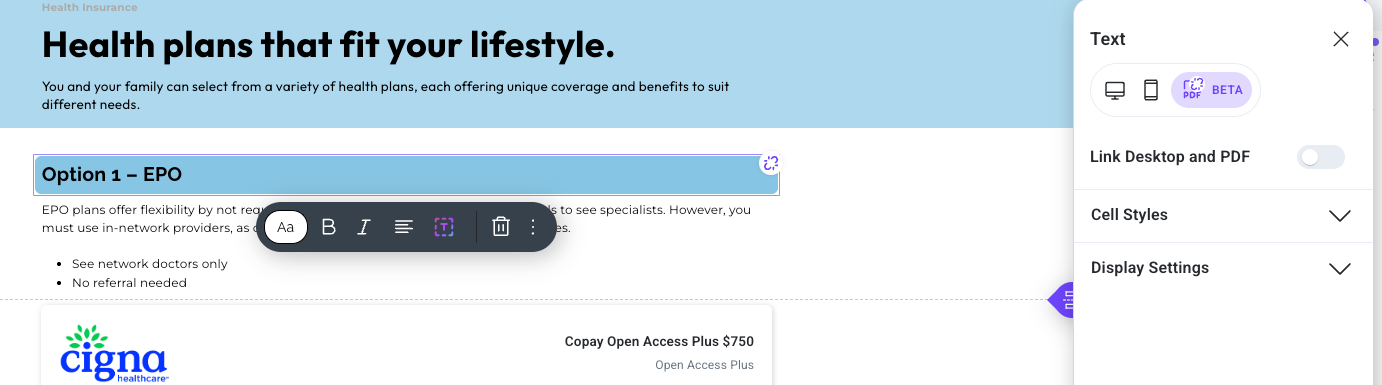
Components can now be unlinked between desktop, mobile, and PDF views for unique customizations.
Adjust spacing and styling independently for each display mode.
Component Display Settings
Enable or disable the display of components (e.g., buttons, links) in desktop, mobile or PDF via the toggles in “display settings” in the properties panel.
Hide all digital components by default in the PDF view (e.g. buttons, websites, documents, etc.)
Enhanced Translation for PDFs
Support for exporting guides into over 110 languages, ensuring global-ready content delivery.
Print Controls Upgrades
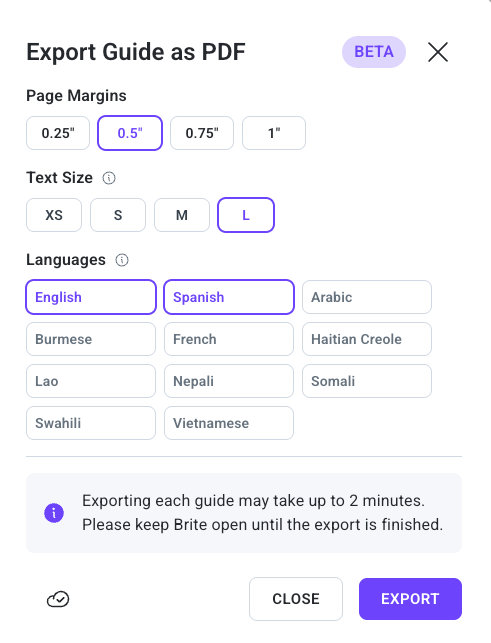
Fine-tune margins and text sizes for precise formatting.
Utilize the print preview feature to review guide layouts in PDF prior to download.
Getting Started:
Sign in to Brite and open a guide.
Navigate to the PDF view in the bottom-left nav bar, edit components, and utilize the properties panel to unlink components and customize the component for the view you’re editing in.
Click the “export” button in the top right to control margins and text size.
Talk to your CS manager to get access to the enhanced translation feature.
We hope these updates enhance your use of Brite. As always, we value your feedback!