What's New

Follow new updates and improvements to Brite.

February 18th, 2026

Employees who access a Brite guide during open enrollment do so an average of 3.6 times. In other words, employees who do engage are digging in. Even so, we believe there is more the Brite platform can do to drive higher top-of-funnel results by helping Brokers and HR teams be more intentional about how they get guides into employees' hands. The features included in Brite’s new messaging enhancements are the first of many important steps our team is taking to help accomplish this goal.

What was enhanced?

Guides No Longer Need to be Attached to a Campaign

One key behavior that leads to higher employee guide engagement is communicating with employees outside the open enrollment window, whether throughout the year or in the week or two leading up to OE. To fully enable year-round education use cases, you are no longer required to attach a guide to the campaigns you send from Brite.

Campaign Templates Library

When drafting campaigns, save yourself time by starting with a template from our updated template library, with quick filters for specific topics like Open Enrollment , New Hire and more.

Redesigned Campaign Creation Flow

Creating campaigns now takes place in a single view, making it easier to for you to the details of your message before sending it off to employees. As you complete the content portion of the campaign you will see a preview of the content in the medium you selected for your campaign. For even more confidence before the launch of a campaign, use the Send a Test feature in the top right corner of the page to send your campaign to a yourself and a handful of other recipients.

Campaign Performance

Once your campaign is finished sending, you can review how its performing across each of the targeted recipients of that campaign. If a guide was attached, the performance dashboard will show you how many recipients clicked the link to that guide that was included in your campaign. Review data in aggregate or by individual recipient.

Messaging and the Benefits Assistant

For users utilizing Brite’s Benefits Assistant, you can now configure your assistant so it is accessible within the messaging mediums you leverage to communicate with employees (Slack, Text and Teams). Once configured, employees can get benefits related questions answered without needing to open their benefit guide.

Email Editor (Coming Soon)

One of the most recurring pieces of feedback we receive from users utlitizing Brite’s messaging features is regarding the the lack of creative control available within the current email editor experience. Our team is actively working on granting you full control over the content of the emails you create and send from Brite by providing a familiar editing experience. Stay tuned for our beta rollout of the new Brite Email Editor scheduled late Q1, 2026!

February 5th, 2026

What's New

Beta

No matter how much you love your space, it's natural after a while to think, “Maybe I should rearrange the furniture” or “Should I paint the walls?”. This is also a common occurrence in software, and for less trivial reasons, we here at Brite have been asking ourselves similar questions.

The Brite admin experience has been long overdue for a fresh new look, an upgrade of sorts, both visually and in ways that provide more value to our users. We are excited to announce an updated interface that you will have the opportunity to preview before it officially launches.

How to Preview

Over the next few days, you will see a new button appear in your Side Navigation bar that says “Preview Brite UI”. Clicking that button will toggle on the new experience for the business you are currently in. When previewing the new interface, clicking the “Exit Brite UI” button will toggle off the experience.

What’s changing?

Though we made tweaks to where a handful of elements live, this update is primarily about how the Brite experience is presented. Here is what will feel new as you preview this interface.

  • Smaller headers + tighter spacing + modern type scale

  • Canvas-style layout with more space dedicated to the work area (benefits package forms, editor, analytics, etc.)

  • Warmer, softer color palette with a clearer visual hierarchy/contrast

  • The user profile has moved out of the header in the top right down to the bottom left of the page.

  • Notifications can be found by clicking on the user profile in the bottom left corner of the page

  • The company selector has moved out of the header and is now nested at the top of the left side navigation.

  • Past, Active and Upcoming tabs have been added to the Benefit Packages view. Benefit Packages will automatically be categorized into the appropriate tab based on the plan dates for that package.

  • A new component has been added to analytics dashboards highlight the dashboard name, description and included guides.

  • Tabs have been added to the Business Details to organize information.

  • Company Language has been renamed to Verbiage.

  • The Documents list is now a table that includes the document name, document type and date the document was uploaded.

  • Design Styles were updated to show the colors and fonts from the list view, so you no longer have to click into a Design Style to know if you found the one you’re searching for.

  • Users can now be found in the company kit.

  • A title field has been added to the users table.

Leaving Feedback

If you have thoughts as you preview the new Brite UI, we would love to hear from you. Click here to leave feedback or click the question mark in the bottom right corner of the page, then Request a Feature .

January 22nd, 2026

What's New

Enhancements

One Brite builder’s response to this change was, “This is a game changer. It will take build times from hours to minutes.”

Smart Import your Benefits Data

Our new smart import functionality has been optimized to achieve over 90% accuracy when extracting details from PDF files such as Summary of Benefits and Coverages (SBCs), Plan Summaries and PDF Benefit Guides. This enhancement simplifies the intake and mapping of your benefit plans with unparalleled ease and precision.

Key Improvements

  • Increased Accuracy: PDFs are now processed with a remarkably high recognition rate, ensuring dependable autofill capabilities.

  • User-Driven Selection: Choose identified benefit plans before proceeding with import, reducing duplicates and ensuring completeness via categorized breakdowns.

  • Enhanced User Interface: Improved navigation while reviewing flagged fields or those with AI-derived suggestions.

  • Batch Processing: Streamline operations with the ability to upload multiple files simultaneously.

Usage Instructions

To access this feature:

  1. Navigate to the Benefits tab.

  2. Create a new benefits package and select "Smart Import."

  3. Alternatively, update an existing package by selecting documents via the Dashboard or by clicking "Add Benefit" and choosing "Smart Import."

This update significantly reduces data preparation time — transforming hours into mere minutes — leaving you with more time to focus on what matters most.

We are committed to consistently enhancing your experience and eagerly welcome your feedback for continued improvements!

January 16th, 2026

What's New

Bug Fixes

Enhancements

We're excited to announce new updates that enhance your Brite experience, giving you more flexibility and creativity with the tools we offer. Plus, get a sneak peek at what’s coming soon at the bottom.

Enhanced Layout Management in Guides

  • Collapsible Sections: Make your sections collapse to clean up the page. Choose from content or accordion styles to optimize workspace organization and presentation.

Simplified Design Style Creation

  • URL-Generated Design Styles: Create a design style based on your client’s website URL, ensuring easy maintenance of brand consistency.

Copy Benefit Products

  • Feature Addition: Easily duplicate a benefits plan (product) within the same company from one package to another using the intuitive options menu.

Expanded Design Options

  • Fonts Library: The complete Google Fonts collection is now available with over 1900 fonts included, offering extensive typography options for your clients.

New Editor Functionality

  • Button Background Colors: Define specific background colors for button components to create more customized designs.

Coming Soon

Smart Import

  • Smart Import 2.0: Instantly turn carrier PDFs or last year’s PDF guide into structured benefits data with 90%+ accuracy, virtually eliminating manual data entry.

New Decision Support Tool

  • Revamped Decision Support Experience: Our new default experience focuses on clarity and education, helping employees make confident enrollment decisions.

Advanced Messaging

  • Email Campaign Editor: Take control of every pixel of the email campaigns you send from Brite using a familiar editor experience.

Benefits Assistant

  • Questions Ledger: See themes of the questions employees ask your benefits assistant and their sentiment toward the responses they receive.

December 22nd, 2025

What's New

Beta

We're excited to introduce a notable update to the benefits package system—offering enhanced planning tools and real-time feedback features.

Main Enhancement

Projection Tab in Benefit Packages

  • New Projections Feature: The brand-new "Projections" tab allows users to:

    • View projections for the expected distribution of medical plans across employees, providing deeper insights into preferences and estimated costs.

  • Interactive Updates in Real-Time:

    • As changes are made to medical plans, such as adjusting HSA contributions, projections dynamically update, highlighting the immediate impact on recommendations.

  • Outcome Measurement:

    • Compare projections with actual enrollment outcomes for comprehensive analysis.

How to Access

  • Navigate to the "Benefits" section in the main menu.

  • Select a benefits package and update to the latest design (if not updated).

  • Connect your benefit package to a guide (if not already).

  • Access the "Projections" tab to explore the detailed projections insights.

This update underscores our commitment to delivering resources that empower users to offer well-tailored medical plans with increased confidence. We look forward to your feedback as we continue refining this feature set.

November 13th, 2025

What's New

Enhancements

Beta

Getting benefit details into Brite just got a whole lot smoother. We know importing plan data has been one of the most time-consuming steps. This release focuses on making it faster, more accurate, and easier to manage.

How to Update

To make the update, navigate to the “Benefits” tab in Brite, open up a Benefits Package, and click the “Update” button. All of your benefit packages (both new and existing) will be updated to the new UI, and any imported files will utilize the latest Smart Import functionality.

IMPORTANT NOTE

The new Smart Import works exceptionally well when importing PDFs, such as Benefit Summaries, SBCs or even last years PDF guide. The AI technology still struggles with spreadsheets, so you can expect to see extremely high accuracy with PDFs and moderate to high accuracy with spreadsheets.

What’s New

Improved Smart Import

  • We’ve upgraded our AI import to recognize plan values in your PDFs better. Try importing the Benefit Summary PDF from carriers or last years Benefit Guide PDF as a starting point! More accuracy, more fields identified—less manual cleanup.

Human-in-the-Loop Import Review

  • After you upload the file, you’ll see all detected plans. Select which plans to import, and correct any details, such as plan type. Then click “continue,” and we’ll only bring in details from the plans you chose.

Simpler, Faster Data Entry

  • Say goodbye to endless scrolling. The product form now uses tabs for quick navigation, with the employee-facing plan summary broken into smaller, relevant previews. When using the “smart import” feature, each field identified by our AI importer will be highlighted with an “AI Suggestion” pill. Click on this to accept or reject the value.

Automatic AI Suggestions

  • AI-suggested values are now placed directly into fields (highlighted for visibility). No more clicking “accept” one by one—just review and move on.

What’s next? The Review Modal

This is the game-changer. Instead of hunting through tabs to find the AI suggestions, flagged fields or empty fields, the Review Modal brings everything together into one place. In a single view, you can:

  • See all AI-suggested fields

  • Find flagged values that need your attention

  • Spot and fill in any empty fields

Once you’ve reviewed, you can finalize the plan with confidence—fast, clean, and complete.

Why It Matters

These changes save you time, reduce errors, and streamline the import process, allowing you to focus on what really matters: building engaging, employee-friendly benefit guides.

November 4th, 2025

Brite’s Benefits Assistant is officially available via open beta for all Brite customers. If you are interested in getting access, reach out to our Customer Success team at Success@britebenefits.com, and they will get things properly set up for your account.

Benefits Assistant

No matter how effective or thorough the content within a benefit guide, employees always have questions. Over the course of a year, those questions take hours of time away from your team (we’re seeing an average of 40 hours a month). With Brite’s all-new AI Benefits Assistant, employees can ask plain-language questions regarding their benefits and general health insurance terms and topics.

How it works

Ask questions directly within the digital benefit guide

  • Employees can type or speak their questions and receive their answers in the same manner

  • Content for responses is sourced from the text and files within your benefit guide

  • Sources within the guide are cited to provide employees more context around the topics they are interested in

  • When the decision tool is active, responses nudge employees toward receiving a recommendation where appropriate

Accessible from the mediums you use to communicate

  • If your team uses Brite’s Slack, Text or Microsoft Teams features to communicate, employees can respond back to the messages they receive with benefits questions for the Assistant to answer

  • Source citations provide pathways back to the digital benefit guide

Customizable to your business

  • Connect other guides and content within your account to the assistant to be used as additional sources for proper responses

  • Refine how the assistant handles specific question-answer pairings that your team cares about.

  • Select language for your assistant name and call to action that will resonate best with employees

Insights that improve your education experience

  • Response ratings can be left to improve the quality of the Assistant’s output

  • Review a ledger of interactions and summarized themes to better understand what questions employees are asking

  • Tweak content and response handling to reduce FAQs by theme


Why This Matters

  • For Employees: Employees can get fast, accurate, contextual responses within the guide without navigating or searching through pages for specific answers.

  • For HR Teams: Less time is spent fielding frequently asked questions

  • For Brokers: Employees have more pathways to both the guide and the decision tool and in turn, a deeper understanding of their benefits


Availability

  • Join the beta and get two months free of the Benefits Assistant.

  • If you are interested in getting access, reach out to our Customer Success team at Success@britebenefits.com, and they will get things properly set up for your account.

October 15th, 2025

What's New

Beta

Our new decision support tool is now live and available! It IS NOT turned on by default yet. If you want it, talk to your CSM, and we can get it turned on for you.

New Decision Tool Details

We’ve completely reimagined Brite’s Decision Support experience from the ground up. What was once a static questionnaire is now a personalized, interactive, and educational benefits journey—built to guide users toward confident enrollment decisions.

🚀 What’s New

✅ A Fully Redesigned Experience with a Custom Mobile Design

  • Replaces the old single-page, Google Forms-style layout with a modern, guided, multi-step flow

  • Easier to navigate, easier to understand, and focused on decision-making—not just data entry

  • Custom-built mobile experience

📋 Step 1: Build Your Benefits Profile

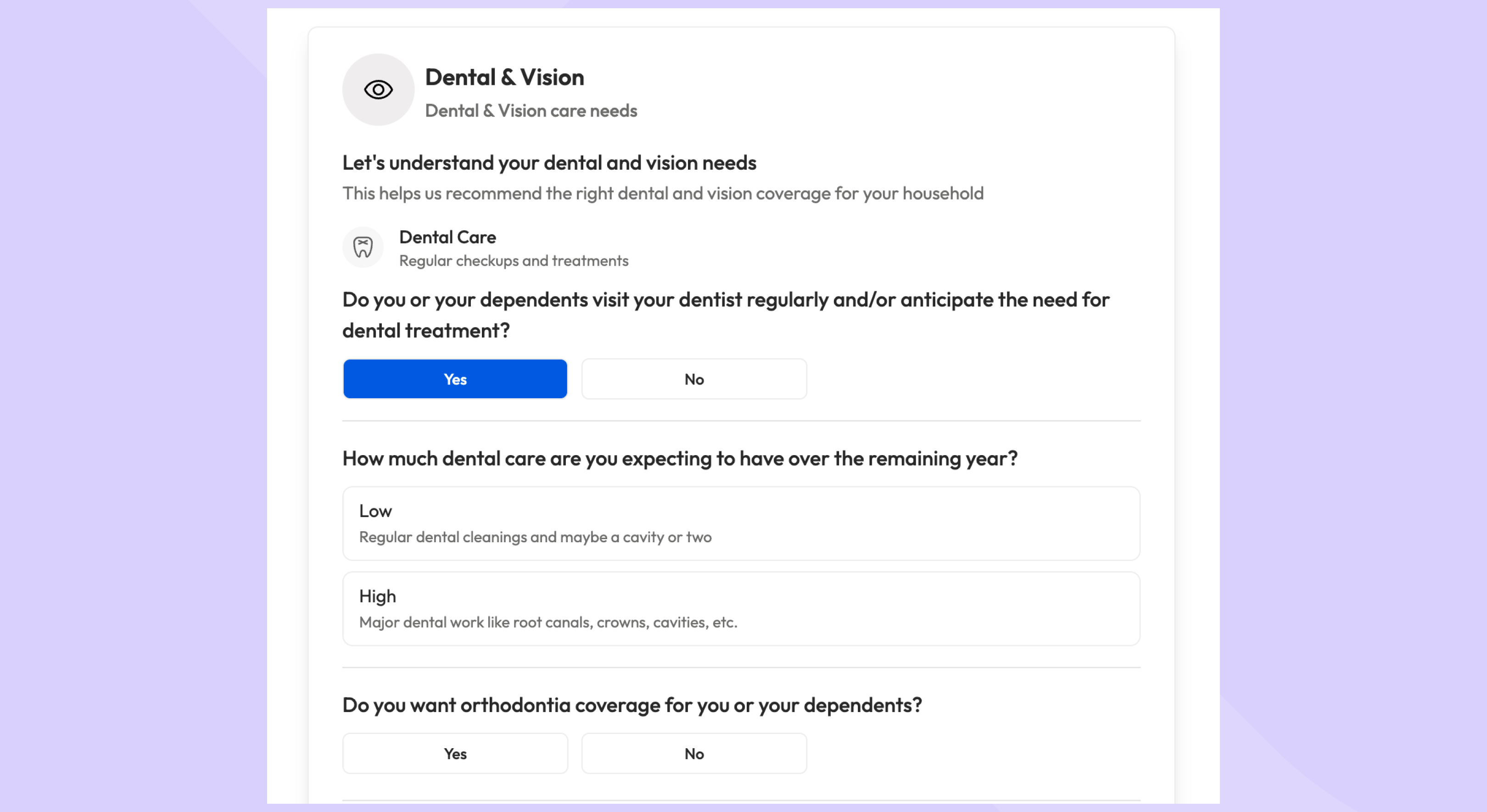
  • Users answer questions about expected medical usage, life events (e.g. pregnancy, surgery), dental/vision needs, and more

  • Click-to-respond format makes it fast and simple—no typing required

🩺 Step 2: Medical Plan Recommendations

  • Entire page dedicated to health/medical plans—typically the most impactful decision

  • Personalized plan recommendation based on profile and usage

  • Estimated costs shown when available

  • Embedded education on:

    • PPOs vs. HDHPs

    • Deductibles, coinsurance, out-of-pocket maximums

    • HSA vs. FSA (with examples of who each is best for)

  • Tooltips and “Learn More” modals make key terms understandable without needing to read a full guide

🔄 Dynamic Scenario Editing

  • Users can adjust scenarios without restarting the flow:

    • Change who they’re enrolling (self, spouse, family, etc.)

    • Add/remove major life events (surgery, pregnancy, etc.)

    • Toggle between low/medium/high medical usage

  • Recommendations and cost estimates update instantly based on these changes

🦷 Step 3: Supplemental Benefits

  • Covers dental, vision, life, accident, and any other available plans

  • Personalized recommendations continue here based on the benefits profile

  • In-line education helps users understand what each plan does and who it’s for

  • Real-time “benefits cart” shows your selected plans and estimated costs as you go

📄 Step 4: Review & Act

  • Final review page shows selected plans and estimated total costs

  • From here, users can:

    • Click Enroll Now to jump to their enrollment system

    • Or Download PDF Summary to remember their selected suite of benefits


🎯 Why This Matters

  • For Employees: Clear, confident benefit decisions with built-in education and personalization

  • For HR Teams: Fewer questions and support requests during enrollment periods

  • For Everyone: A dramatically improved user experience that removes the guesswork from choosing benefits


🔓 Availability

  • Included in your current package if you already have Decision Support—no upsell, no configuration required

  • Automatically turned on once launched

July 7th, 2025

We are thrilled to introduce a substantial update to Brite, complete with exciting new features and refinements to boost your experience.

PDF View (BETA)

  • View and edit your guide in the new PDF view accessible from the bottom-left navigation bar.

  • Preview auto-detected page breaks, with options to add manual breaks as desired.

  • See what the components in your guide will look like when exported to PDF and make adjustments accordingly.

Unlink Components Across Views

  • Components can now be unlinked between desktop, mobile, and PDF views for unique customizations.

  • Adjust spacing and styling independently for each display mode.

Component Display Settings

  • Enable or disable the display of components (e.g., buttons, links) in desktop, mobile or PDF via the toggles in “display settings” in the properties panel.

  • Hide all digital components by default in the PDF view (e.g. buttons, websites, documents, etc.)

Enhanced Translation for PDFs

  • Support for exporting guides into over 110 languages, ensuring global-ready content delivery.

Print Controls Upgrades

  • Fine-tune margins and text sizes for precise formatting.

  • Utilize the print preview feature to review guide layouts in PDF prior to download.

Getting Started:

  • Sign in to Brite and open a guide.

  • Navigate to the PDF view in the bottom-left nav bar, edit components, and utilize the properties panel to unlink components and customize the component for the view you’re editing in.

  • Click the “export” button in the top right to control margins and text size.

  • Talk to your CS manager to get access to the enhanced translation feature.

We hope these updates enhance your use of Brite. As always, we value your feedback!

June 23rd, 2025

We're excited to announce impactful updates to the Brite platform, which will bring employees a more seamless and focused user experience.

Highlights of the Update

Revamped Navigation for Employee View

  • Redesigned header and navigation components to minimize distractions and enhance content focus.

  • Included is the collapsible page list functionality positioned on the left side.

  • Hovering over the lines reveals the page list temporarily for effortless navigation.

  • Introduced navigation arrows for forward and backward guide traversal in the bottom-right corner.

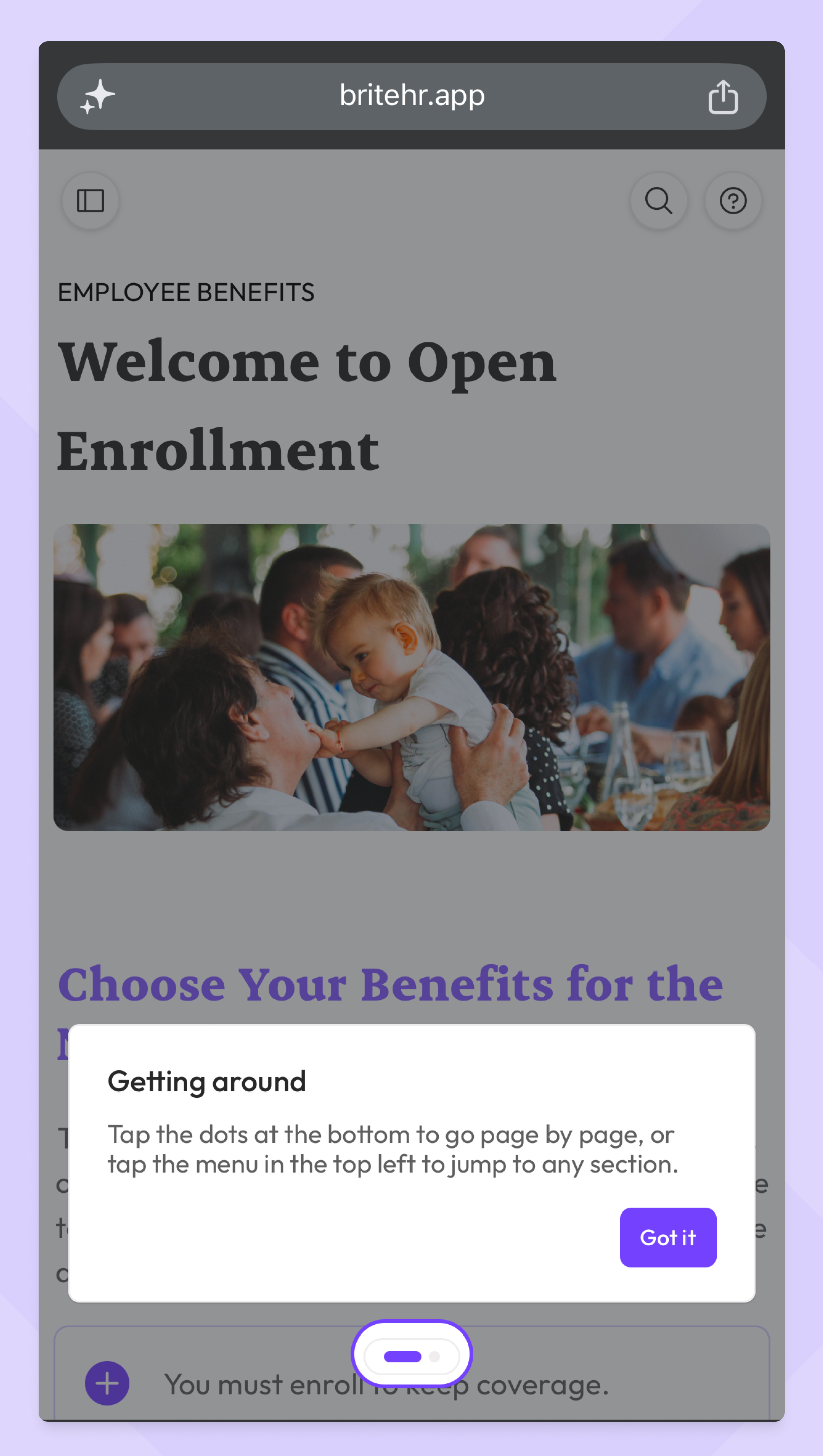
Mobile-Specific Design Implementation

  • Optimized the employee view for mobile devices, ensuring seamless content consumption on any device.

  • Swipe or click the arrows to navigate between pages.

  • Click the pages menu between the arrows to select any page in the guide you want to navigate to.

Key Notes

  • These updates will automatically apply to all Brite guides.

  • Users can start utilizing the new navigation without requiring any action.