2 Network Plan in The Decision Support Tool.
I currently like the ability to create a single medical plan and add a 2nd network tab, but an issue arises within the Decision Support Tool. When a medical plan with two network plan options is recommended, the tool only shows the plan info for the core network. So the 2nd network plan info is not displayed. I would really like employees to be able to see plan info for both networks within the tool, as some utilize the guide simply for the decision tool and do not view the informational pages. To resolve, I have had to build out the second network as if it were an individual medical plan, but this isn’t a accurate set up as it not actually a separate medical plan option.
2 network options with differing coinsurance/coverage info in one medical plan:
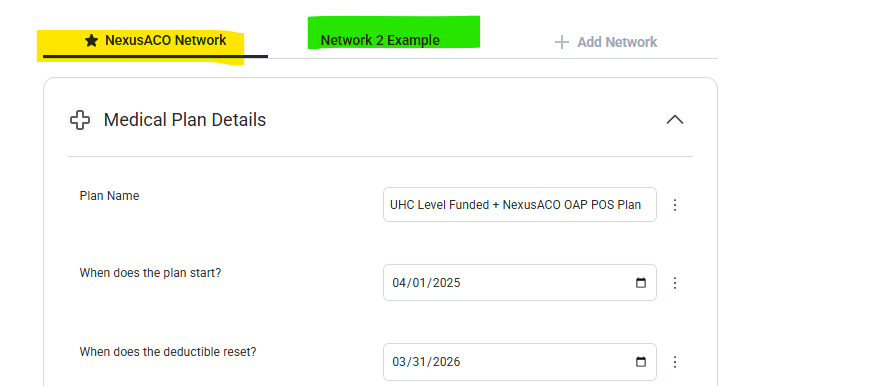
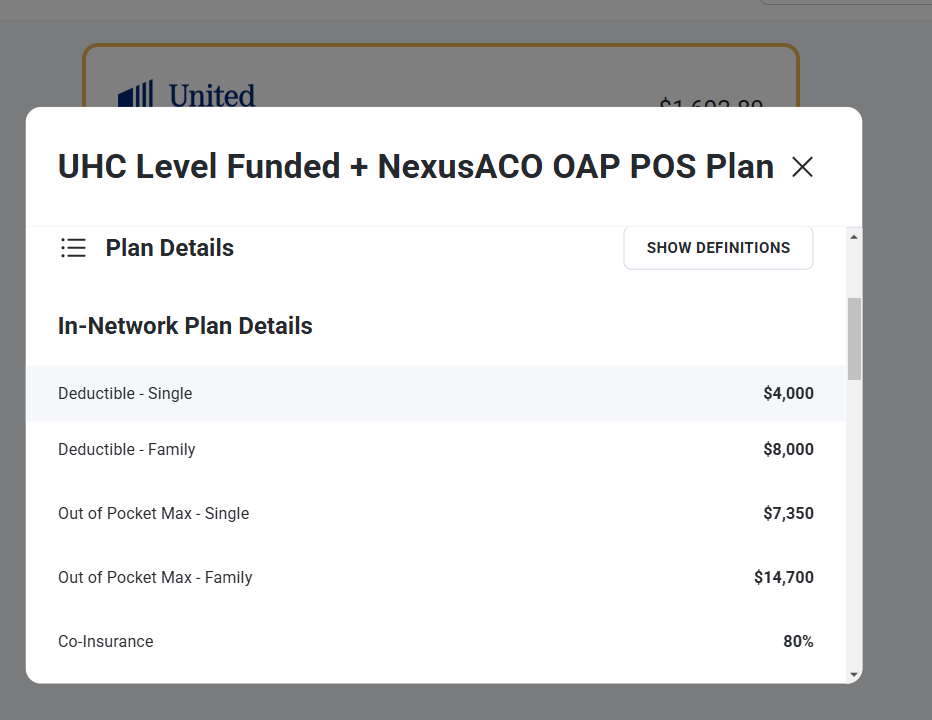
When plan is recommended, the support tool only shows plan info for the core network.
Log in to comment and vote
Comments2
Jake Hougaard
Mar 5, 2025
Thank you, @brookebuchanan, for sharing this feedback! It is not ideal that the second network needs to be set up as its own plan in order to show up in the decision support tool. How often do you encounter situations where you need to use that workaround?
Blush Frog
Mar 10, 2025
Any time a group has a single medical plan with two network options with differing plan coverage. I’ve seen it a couple times now. Thanks!