Enhanced PDF Export Settings and Translation Support (BETA)
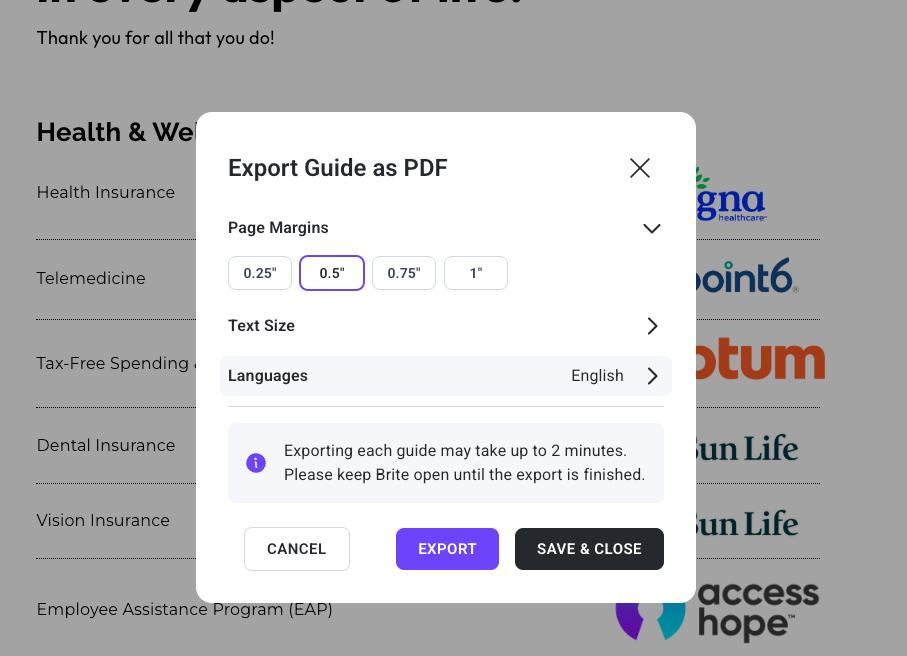
Here are a few exciting updates we’re rolling into Beta to enhance your Brite experience!
Enhanced PDF Export Features
Language Translation for PDFs: Choose from multiple languages for your printed or digital guides to effortlessly reach a broader audience.
Advanced Export Settings: Customize page margins, text sizes, and other parameters for optimal presentation.
Text size settings allow you to make text smaller only on print, so you don’t have to change each text component one by one.
Check your changes in the Print Preview: Quickly see how changes appear in the PDF version without exporting repeatedly.
How to Access These Features
Perform a hard refresh of your guide in Brite (Ctrl/Cmd + Shift + R).
Click the "Export" button in the editor (in the upper right of the screen).
Adjust language, margins, and text size settings.
Stay tuned for upcoming features such as image size controls and custom export quality, all aimed at delivering a seamless and delightful guide-building journey.
Questions? Reach out to your CS Manager for help!