What's New

Follow new updates and improvements to Brite.

Help new guide & site visitors with a quick tour
For many employees, open enrollment is their first time in a Brite guide or site. They come to get up to speed on their benefits and the sooner they know how to get around, the sooner they get to the parts that matter most.

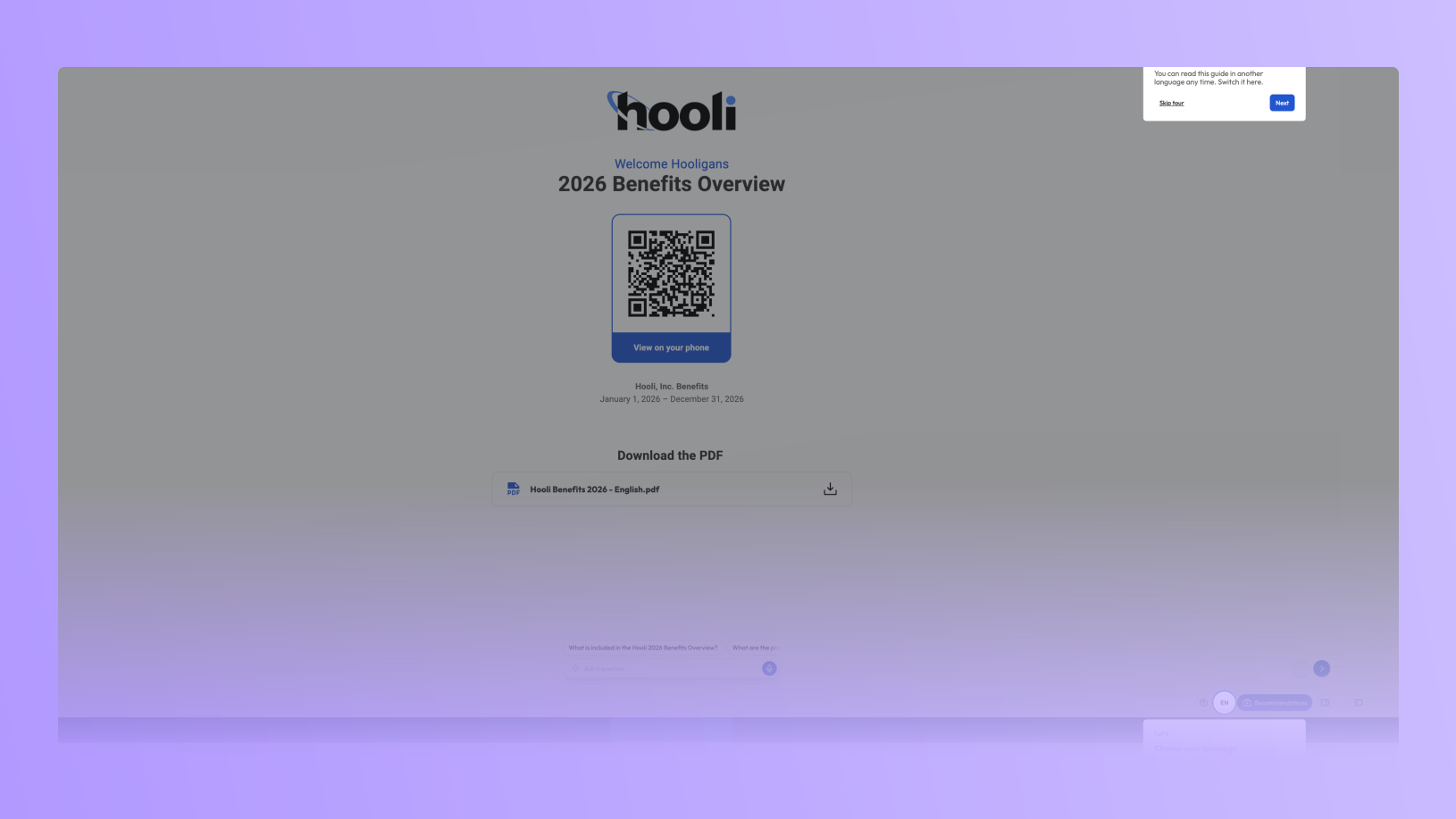
Starting Monday, October 26, every guide and site will show first-time visitors a short tour. They will be shown how to change the language, how to get from page to page, and, where you have them turned on, where to find Recommendations and the Assistant. Tours will be on by default, and capable of being individually turned off for any guide or site in its settings.

What employees see

  • Up to four quick steps → Each one highlights the real control on the page and says what it's for in a sentence: change the language, get around the guide, get a plan recommendation, ask a question.

  • Only what your guide/site has → If a guide/site doesn't use the Recommendation Tool or the Assistant, that step is left out and the tour gets shorter. Nobody gets pointed at a button that isn't there.

  • Shown once, easy to skip → The walkthrough appears the first time someone opens a guide on their device. They can skip it at any step, and a new ? button in the header plays it again whenever they want.

  • Built for phones too → On a phone, each step sits at the top or bottom of the screen so it doesn't cover the content, and it points at the page dots instead of Back and Next.

  • In every language your education offers. The walkthrough translates automatically along with the rest of your guide.

  • Out of the way when it should be. It waits until after a passcode, class selection or language prompt. And if an employee taps the control being highlighted, the tour ends and the control does what they tapped.

Getting started

Once tours are live, no setup will be required. To experience a tour for yourself, open one of your guides or sites in a private browser window, or tap the ? button in its header. If you decide that you don’t want a tour on for your education, you can always turn it off in the settings for that guide or site. For questions or a quick walkthrough, reach out to your CSM or email support@britebenefits.com.
Benefit Microsites now live in Brite

Most benefits communication is built for about three weeks a year. Once enrollment closes, employees have nowhere to go when a question comes up.

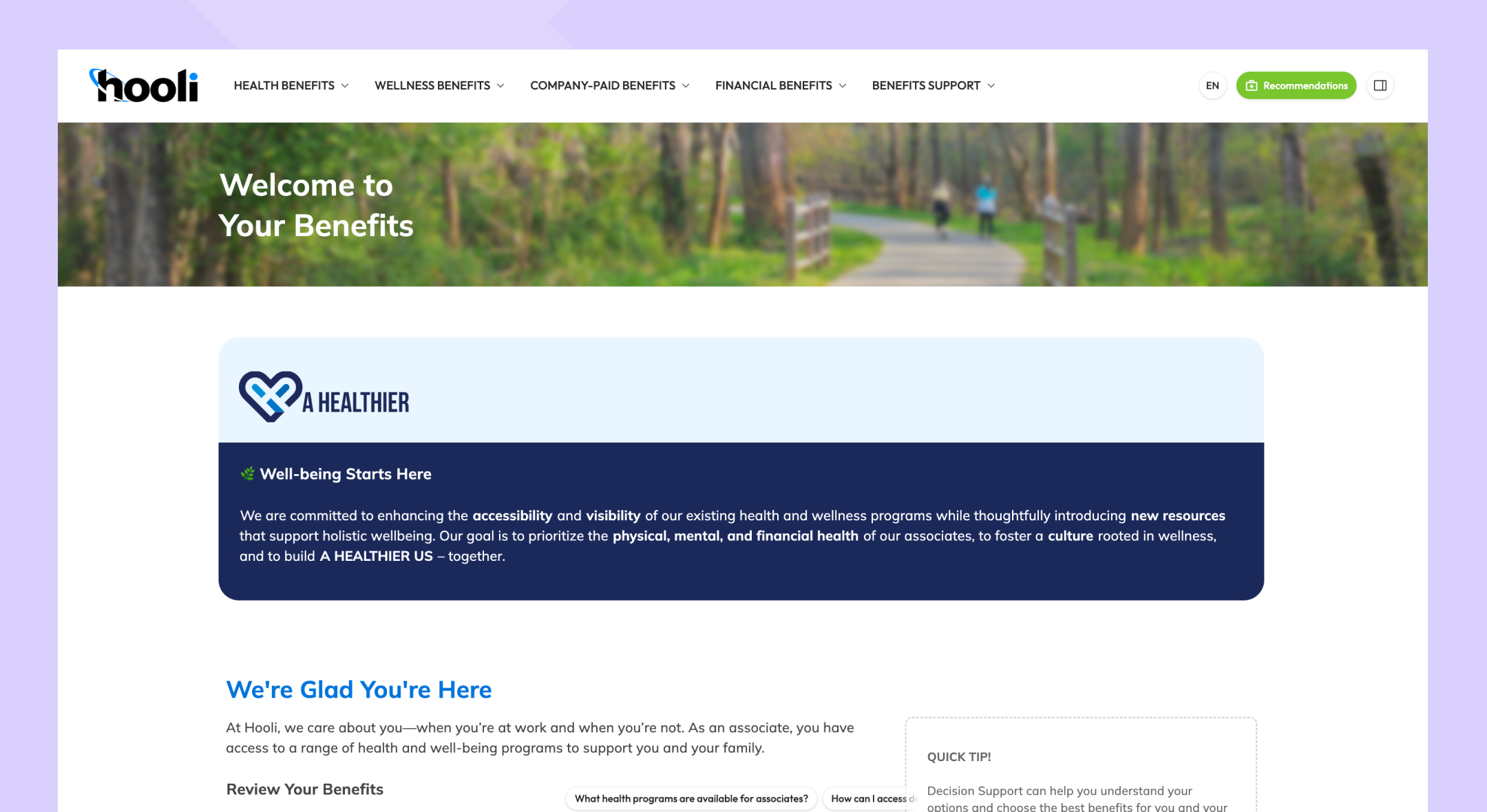
Brite’s Microsites change that. A microsite is a year-round destination for everything employees need to know about their benefits, and you can build one in minutes, just like our guides.

Watch the 2-minute walkthrough

What you can do now:

  • Build one in minutes. Start from a template, generate from a benefits package, or convert a guide you already have. You're never starting from a blank page.

  • Use the building blocks you already know. Microsites run on the same editor as your guides—nothing new to learn.

  • Publish in 100+ languages. Translated automatically. One microsite, not a second version to keep in sync.

  • Give employees real navigation. Header menus, footer links, and multiple pages, so people can look something up instead of being walked through everything.

  • Put the assistant front and center. Employees can ask a question the moment they land.

  • Go beyond benefits. Policies, company information, anything HR needs employees to have year-round.

  • See what's working. Microsite analytics show traffic, which pages employees visit most, how much time they spend, where they drop off, what they're asking the assistant, and so much more.

  • Update it in minutes. Change a deadline, post an announcement, swap a card. No rebuild, no redistribution.

Microsites and guides work well together, and either one works on its own. Link your guide into the microsite, run everything from the microsite, or keep them separate. Benefits information stays connected across both, so a change in one shows up everywhere.

Two more things on the way. A single microsite that supports every class, group, and variant a complex client has, with content gated by password or by employees choosing their group. Next, an AI-powered build copilot, where our AI handles the heavy lifting no matter how you create sites and guides.

Ready to get access? Talk to your CSM.

What's NewEnhancements

Microsites in Open Beta - Ask Your CSM to Learn More

We are excited to announce the Microsites product currently in Open Beta. Here’s what you need to know:

Introducing Microsites

Microsites are designed to provide a centralized, year-round hub for benefit education and company resources that employees can easily access:

  • Enhanced User Experience: Navigate benefits, policies, and updates seamlessly using a modern, website-like layout.

  • Customizable Components: Personalize your microsite with tailored headers, footers, and additional AI-powered assistants.

  • Quick Edits: Update and publish content effortlessly to keep information current. Built on our current, familiar editor experience.

Want Access?

Microsites are in Open Beta:

  • Contact your Customer Success Manager (CSM) to learn more and gain access.

  • Early feedback will help shape the final release of this feature.

What's NewBeta

Earlier updates