Optimizing Brite for Building Printed Guides: Phase 1
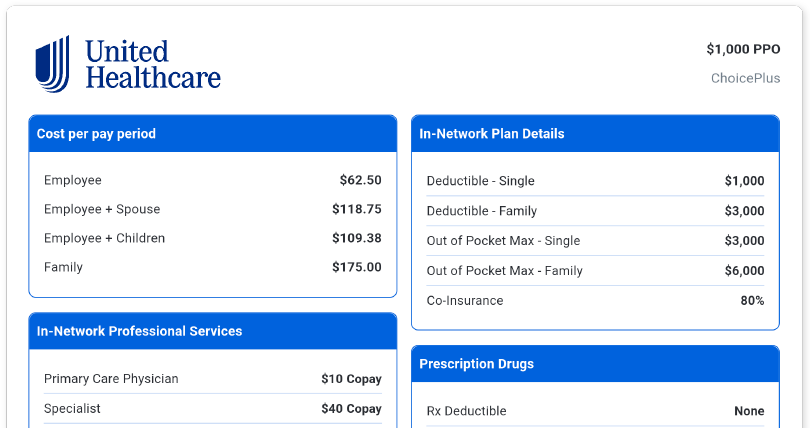
We’ve heard you loud and clear, Brite has to work for building both digital AND printed guides. We’re actively working on making Brite the best solution for creating benefits education content, regardless of how you need to distribute it. This is phase 1 in our effort to make Brite THE benefits education tool you use for all of your clients. Here’s what we’ve delivered so far.
Enhanced Auto-Formatting for Print:
Digital First Components on Print: Buttons, links, and videos appear as QR codes in exported PDFs with context and clean formatting.
Spacing Optimization: Guides are seamlessly auto-formatted for PDF export without requiring significant additional adjustments.
New Plan Summary Design on Print: We’ve redesigned the Plan Summary component with a clean look that fits better on the page and is easier to read for printed guides.
Tools to Fine-Tune Your Printed Guides:
Component Display Control: Toggle the display of individual components for each platform—PDF, Mobile, or Desktop. Display Settings can be found in the properties panel.
Insert Page Breaks: To customize the export layout, use the 'Page Break' tool, conveniently located under 'Elements' in the editor tools tab.
These updates aim to streamline the transition from digital to print within Brite, helping you effortlessly craft exceptional, launch-ready guides. More to come soon! Stay tuned.