Change the Timezone for Scheduled Campaigns
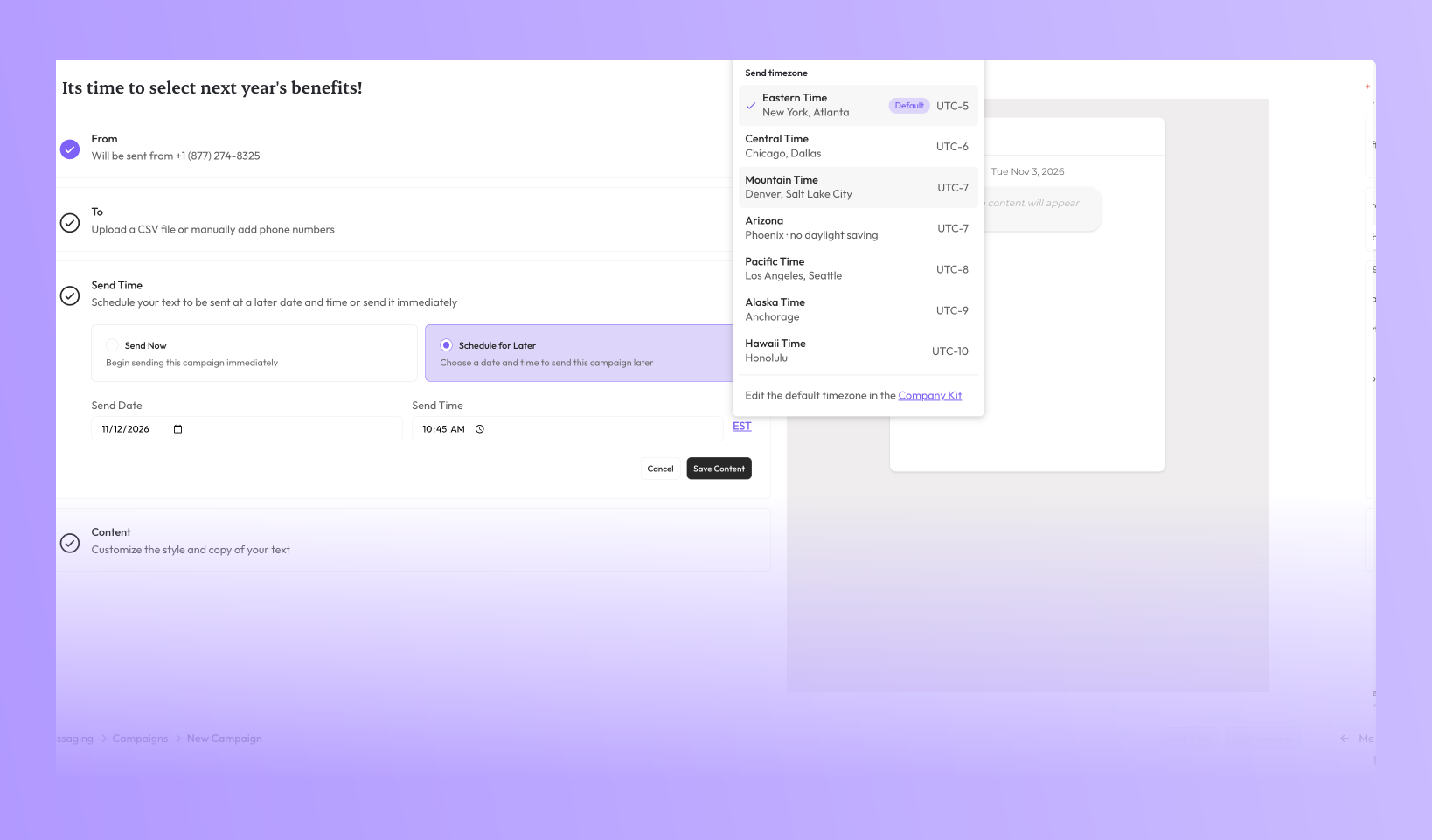
Sometimes those tasked with scheduling a campaign aren’t always in the same timezone as the those intended to receive it. A Broker or GA team in one timezone may be scheduling for employees in another, and many workforces are spread across several. Now you can choose the timezone a campaign sends in, not just the date and time. Click the timezone next to Send Time and pick from any US timezone.
Set a default for your business. In Company Kit → Business Details → Information, the new Default Send Timezone setting decides the timezone every new campaign starts with. You can still change it on any individual campaign, and that change applies only to that campaign.

Scheduled campaigns stay in sync. If you change your default while campaigns are scheduled, Brite asks whether to move the campaigns using the default to the new timezone. Each one keeps its send time on the clock: 9:00 AM Mountain becomes 9:00 AM Pacific. Campaigns you’ve set to a specific timezone are never changed.
