Get a plan recommendation without leaving the Assistant
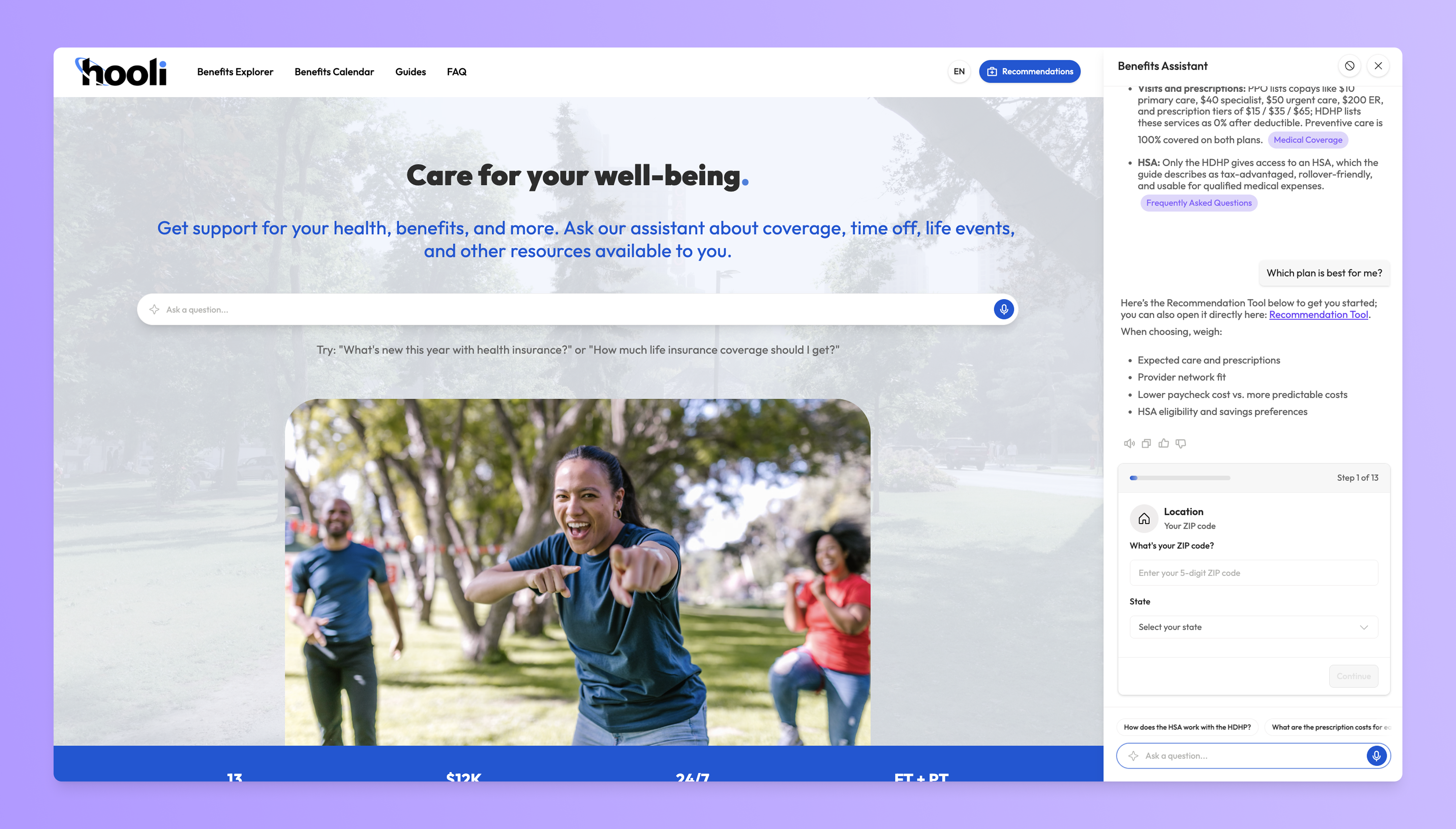
Employees can now complete the Recommendation Tool directly within their conversation with the Assistant, and get a clear explanation of their result without ever leaving the chat (Only applicable to guides/sites where the Recommendation Tool is turned on).
What's new
The Recommendation Tool, right in the chat
Any time a user asks the assistant to provide a recommendation, it will provide the employee the decision tool form and a high level explanation of dimensions to consider when making an election decision.
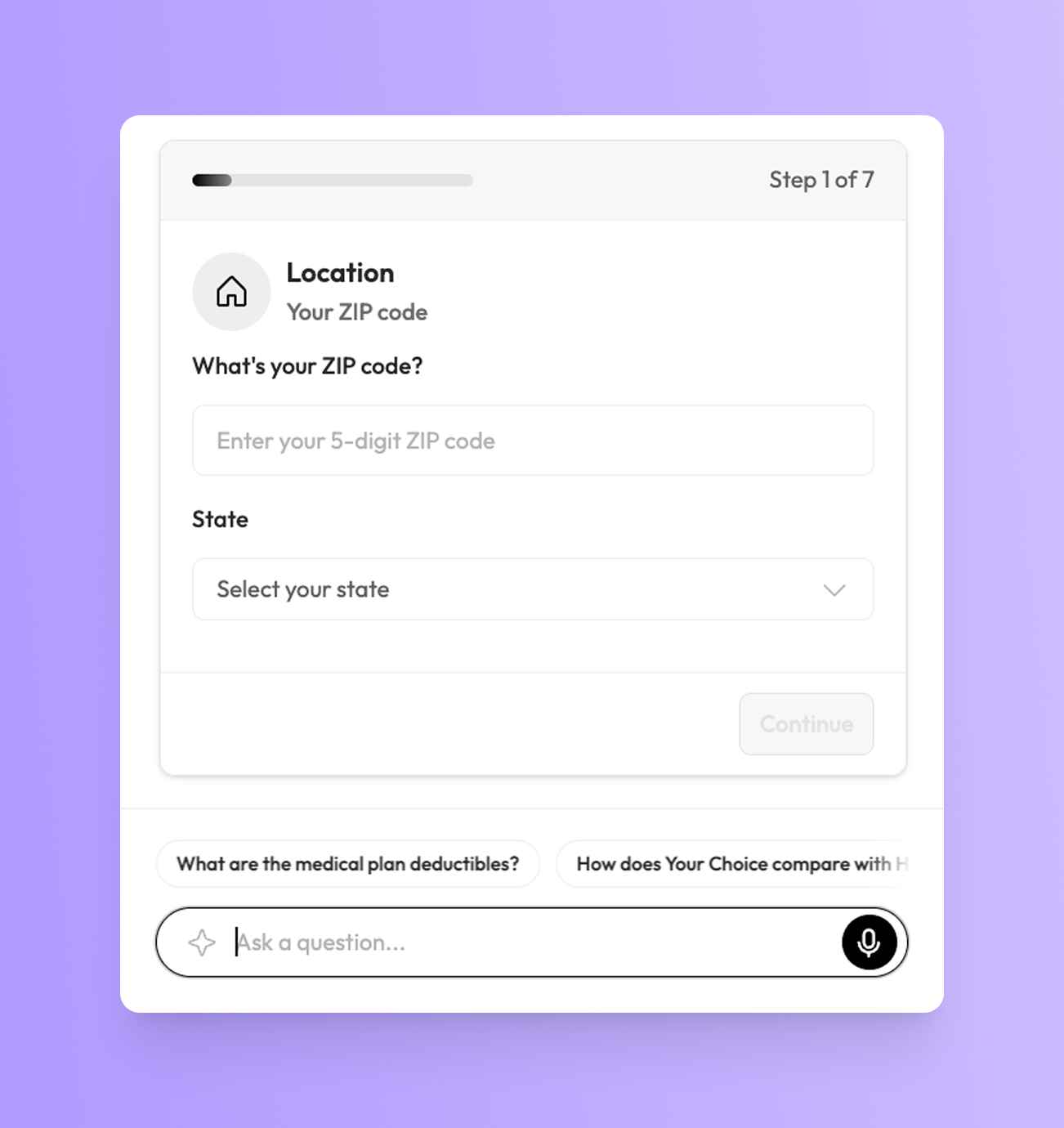
Employees can step through the full Recommendation Tool inside their Assistant conversation, answering the same guided questions one step at a time without navigating away to a separate flow.
Keeping everything in a single, continuous conversation removes a common drop-off point and makes it easier for employees to go from question to recommendation in one place.
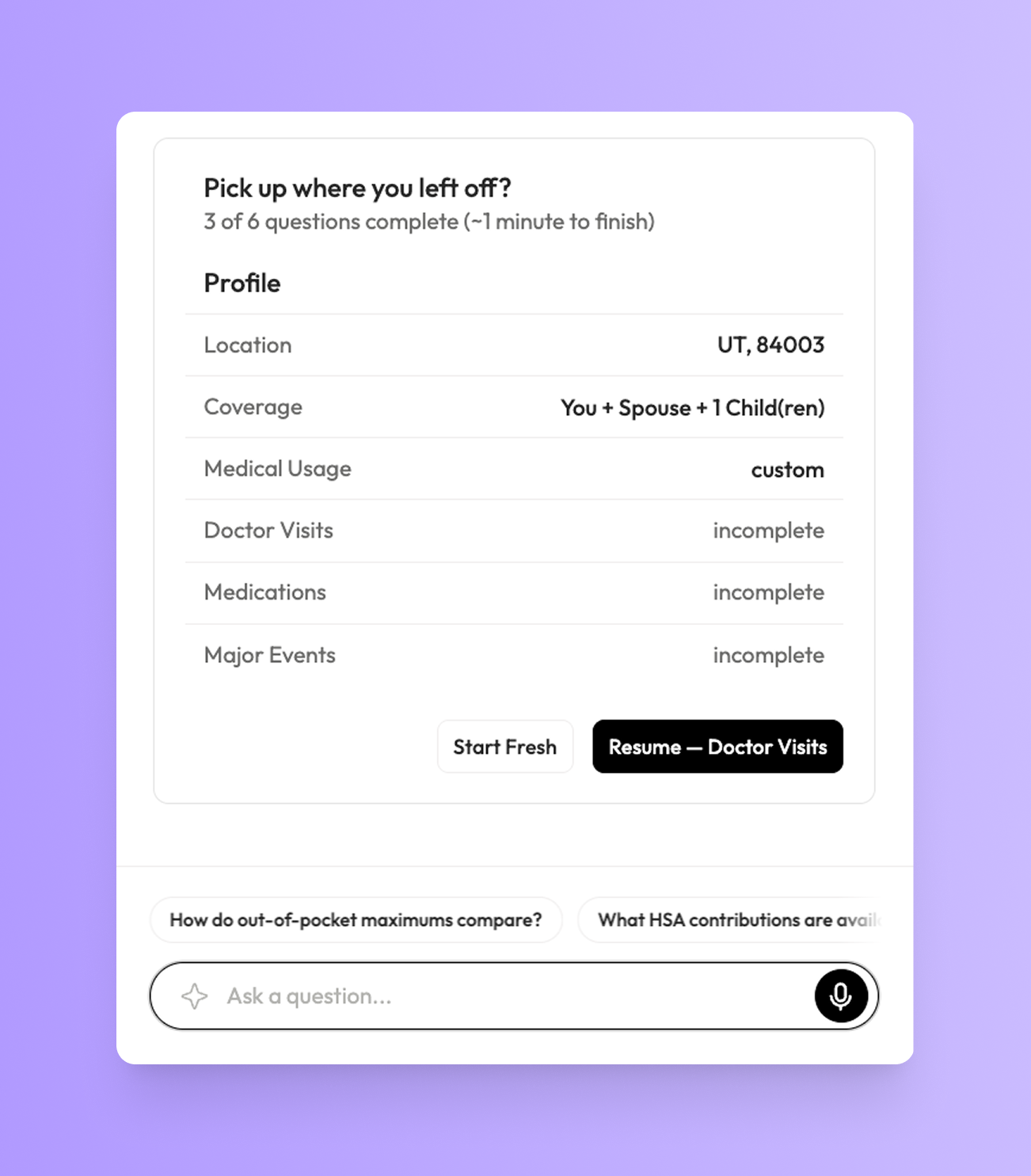
Pick up where you left off
Progress is saved automatically as employees move through the steps.
If someone steps away partway through, closing the guide, getting pulled into a meeting, or coming back another day, their answers are retained, so they can return and continue right where they left off instead of starting over.
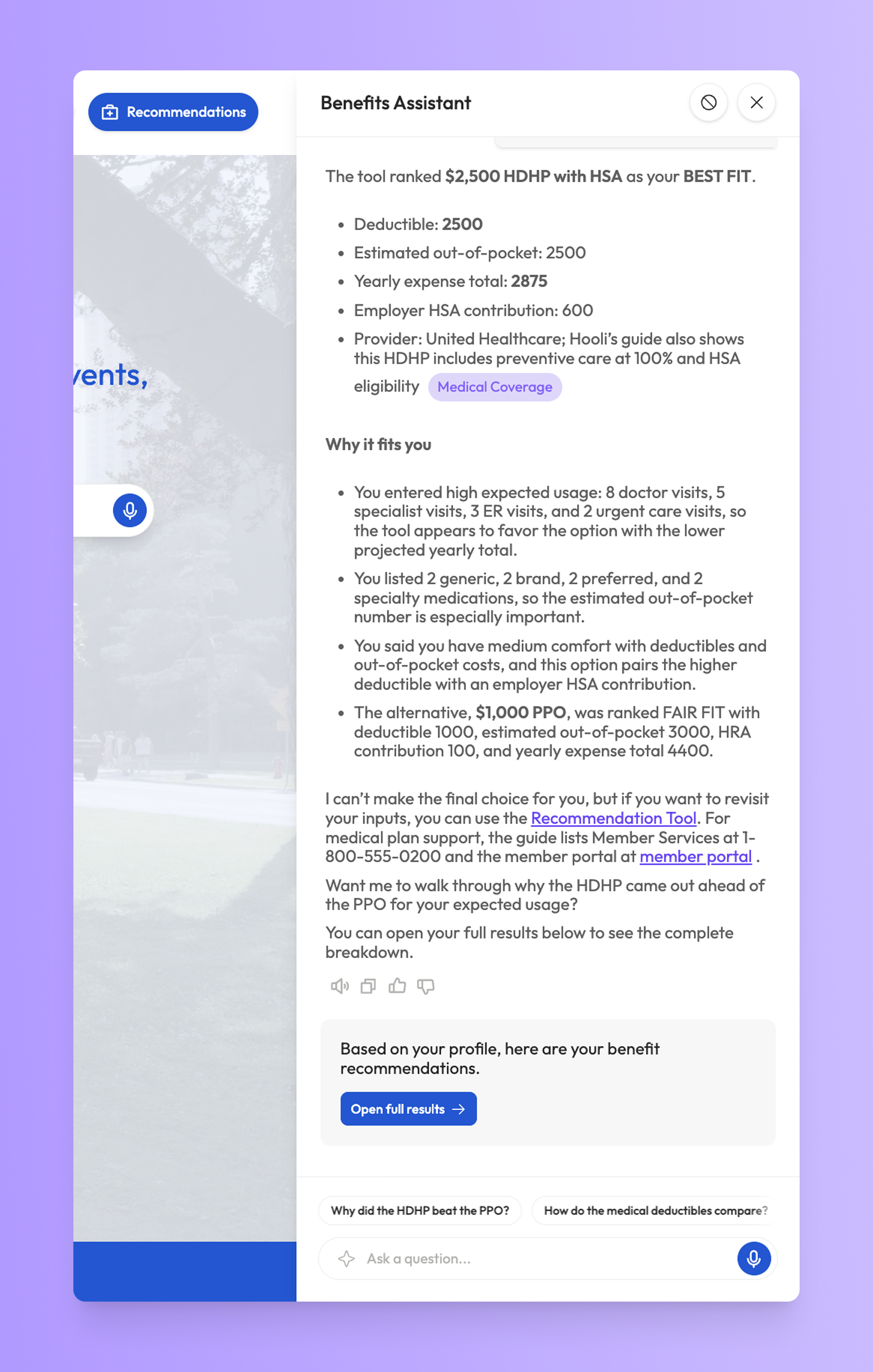
Understand why a plan was recommended
As soon as an employee submits their responses, the Assistant automatically generates a plain-language explanation of the result, connecting their specific inputs, things like expected care, medications, and comfort with deductibles and out-of-pocket costs, to the plan that was recommended.
It also frames how the recommended plan compares to the alternatives, giving employees the context to feel confident in their choice. This directly answers one of the most common questions we hear from employees: "What about my answers led to this plan being recommended?"