Early 2026 Updates

We're excited to announce new updates that enhance your Brite experience, giving you more flexibility and creativity with the tools we offer. Plus, get a sneak peek at what’s coming soon at the bottom.
Enhanced Layout Management in Guides
Collapsible Sections: Make your sections collapse to clean up the page. Choose from content or accordion styles to optimize workspace organization and presentation.

Simplified Design Style Creation
URL-Generated Design Styles: Create a design style based on your client’s website URL, ensuring easy maintenance of brand consistency.

Copy Benefit Products
Feature Addition: Easily duplicate a benefits plan (product) within the same company from one package to another using the intuitive options menu.

Expanded Design Options
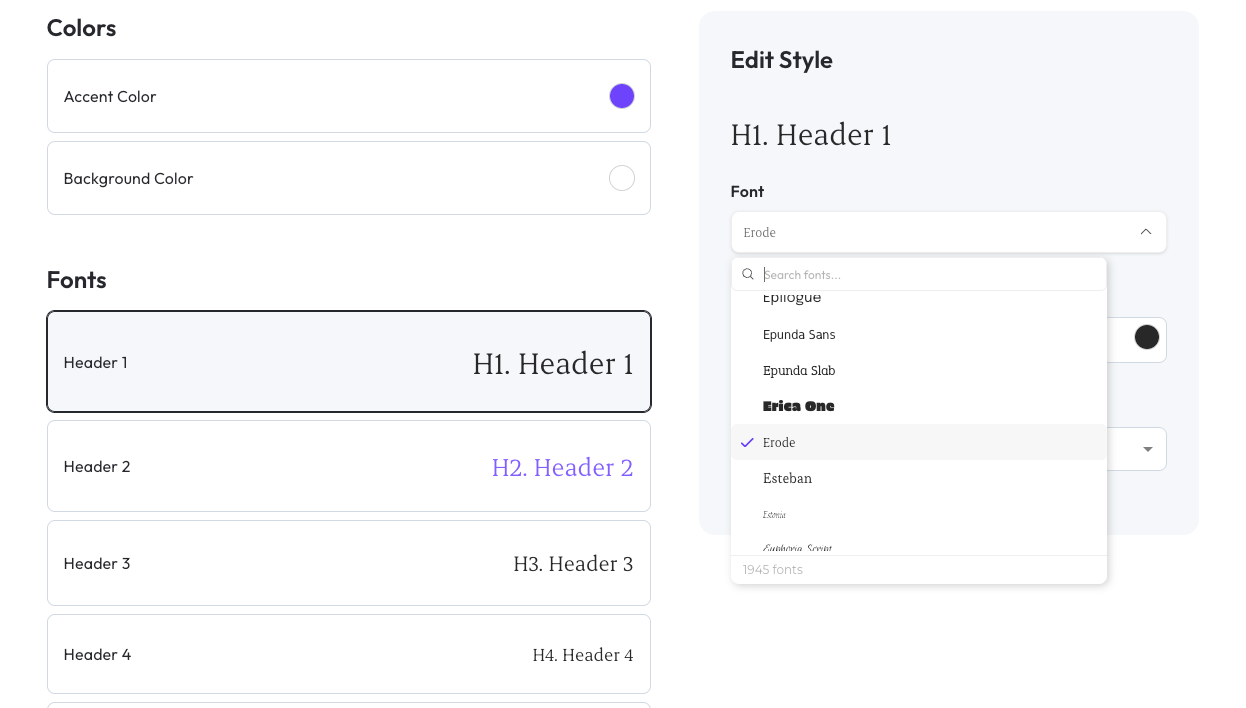
Fonts Library: The complete Google Fonts collection is now available with over 1900 fonts included, offering extensive typography options for your clients.
New Editor Functionality
Button Background Colors: Define specific background colors for button components to create more customized designs.

Coming Soon
Smart Import
Smart Import 2.0: Instantly turn carrier PDFs or last year’s PDF guide into structured benefits data with 90%+ accuracy, virtually eliminating manual data entry.

New Decision Support Tool
Revamped Decision Support Experience: Our new default experience focuses on clarity and education, helping employees make confident enrollment decisions.

Advanced Messaging
Email Campaign Editor: Take control of every pixel of the email campaigns you send from Brite using a familiar editor experience.

Benefits Assistant
Questions Ledger: See themes of the questions employees ask your benefits assistant and their sentiment toward the responses they receive.
