HEADS UP—Talk to your CSM—New Decision Support Tool!
Our new decision support tool is now live and available! It IS NOT turned on by default yet. If you want it, talk to your CSM, and we can get it turned on for you.
New Decision Tool Details
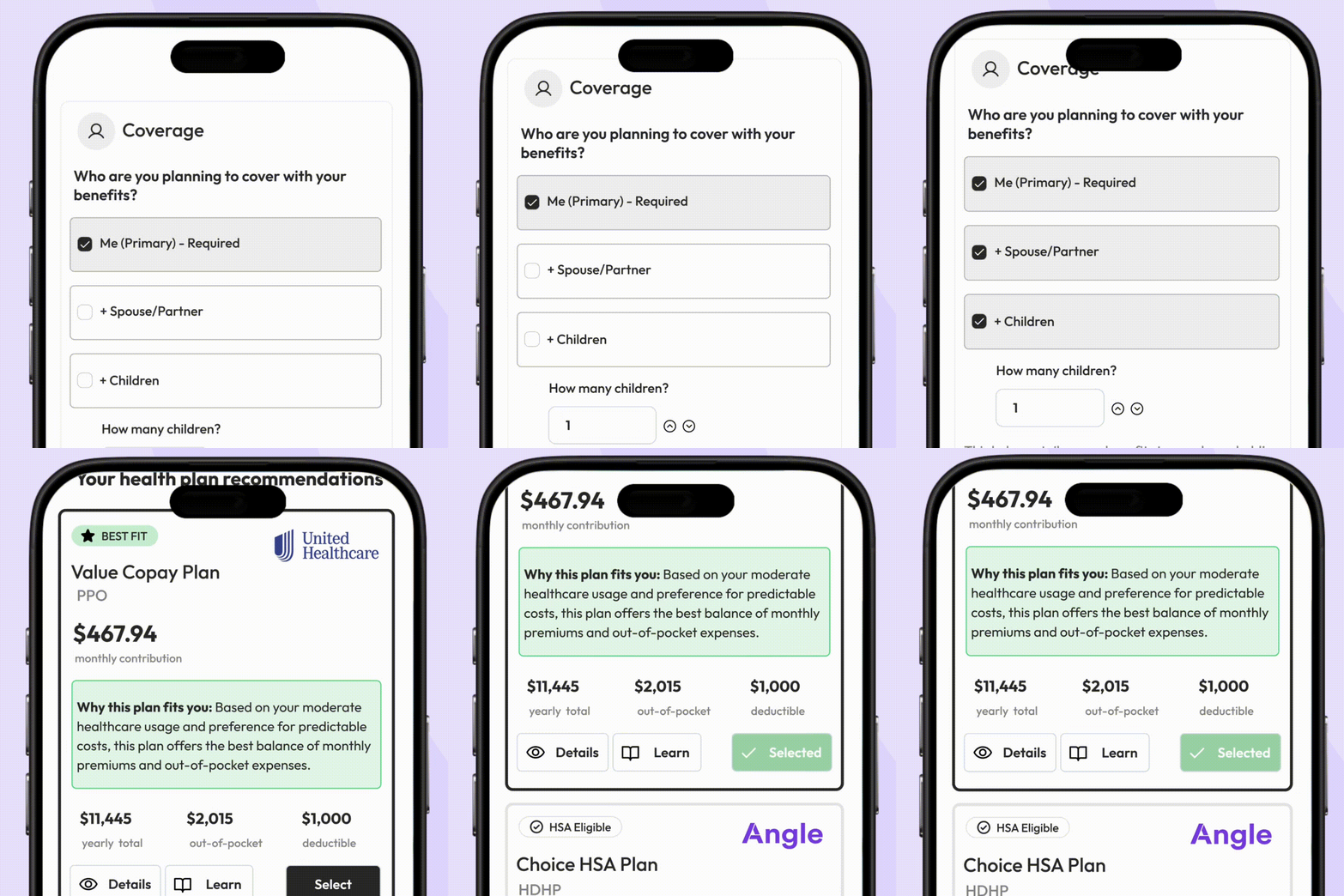
We’ve completely reimagined Brite’s Decision Support experience from the ground up. What was once a static questionnaire is now a personalized, interactive, and educational benefits journey—built to guide users toward confident enrollment decisions.
🚀 What’s New
✅ A Fully Redesigned Experience with a Custom Mobile Design
Replaces the old single-page, Google Forms-style layout with a modern, guided, multi-step flow
Easier to navigate, easier to understand, and focused on decision-making—not just data entry
Custom-built mobile experience
📋 Step 1: Build Your Benefits Profile
Users answer questions about expected medical usage, life events (e.g. pregnancy, surgery), dental/vision needs, and more
Click-to-respond format makes it fast and simple—no typing required
🩺 Step 2: Medical Plan Recommendations
Entire page dedicated to health/medical plans—typically the most impactful decision
Personalized plan recommendation based on profile and usage
Estimated costs shown when available
Embedded education on:
PPOs vs. HDHPs
Deductibles, coinsurance, out-of-pocket maximums
HSA vs. FSA (with examples of who each is best for)
Tooltips and “Learn More” modals make key terms understandable without needing to read a full guide
🔄 Dynamic Scenario Editing
Users can adjust scenarios without restarting the flow:
Change who they’re enrolling (self, spouse, family, etc.)
Add/remove major life events (surgery, pregnancy, etc.)
Toggle between low/medium/high medical usage
Recommendations and cost estimates update instantly based on these changes
🦷 Step 3: Supplemental Benefits
Covers dental, vision, life, accident, and any other available plans
Personalized recommendations continue here based on the benefits profile
In-line education helps users understand what each plan does and who it’s for
Real-time “benefits cart” shows your selected plans and estimated costs as you go
📄 Step 4: Review & Act
Final review page shows selected plans and estimated total costs
From here, users can:
Click Enroll Now to jump to their enrollment system
Or Download PDF Summary to remember their selected suite of benefits
🎯 Why This Matters
For Employees: Clear, confident benefit decisions with built-in education and personalization
For HR Teams: Fewer questions and support requests during enrollment periods
For Everyone: A dramatically improved user experience that removes the guesswork from choosing benefits
🔓 Availability
Included in your current package if you already have Decision Support—no upsell, no configuration required
Automatically turned on once launched